Addons for WoW Forever
Three free addons that feel like they were always part of the game. One gets you where you are going, one gets a new character ready to play, and one makes sure a warlock never misses a proc.
Made to feel like the game
I build the addons I want to play with. They follow three rules.
It looks like Blizzard made it
The game's own frames, fonts, icons and colours. If you can tell where the game ends and the addon begins, it is not finished.
It lives where you already look
On the world map, next to your quests, in the game's options. No extra window to move around or keep track of.
It saves time, it doesn't play for you
Quality of life only. The addons tell you what you need to know and set things up, then the game is yours.
Fistao, player since 2005, warlock at heart.
Travelcraft
Open the world map, pick where you want to go, and see how long it takes and which way to go. The same planner as this site, inside the game.
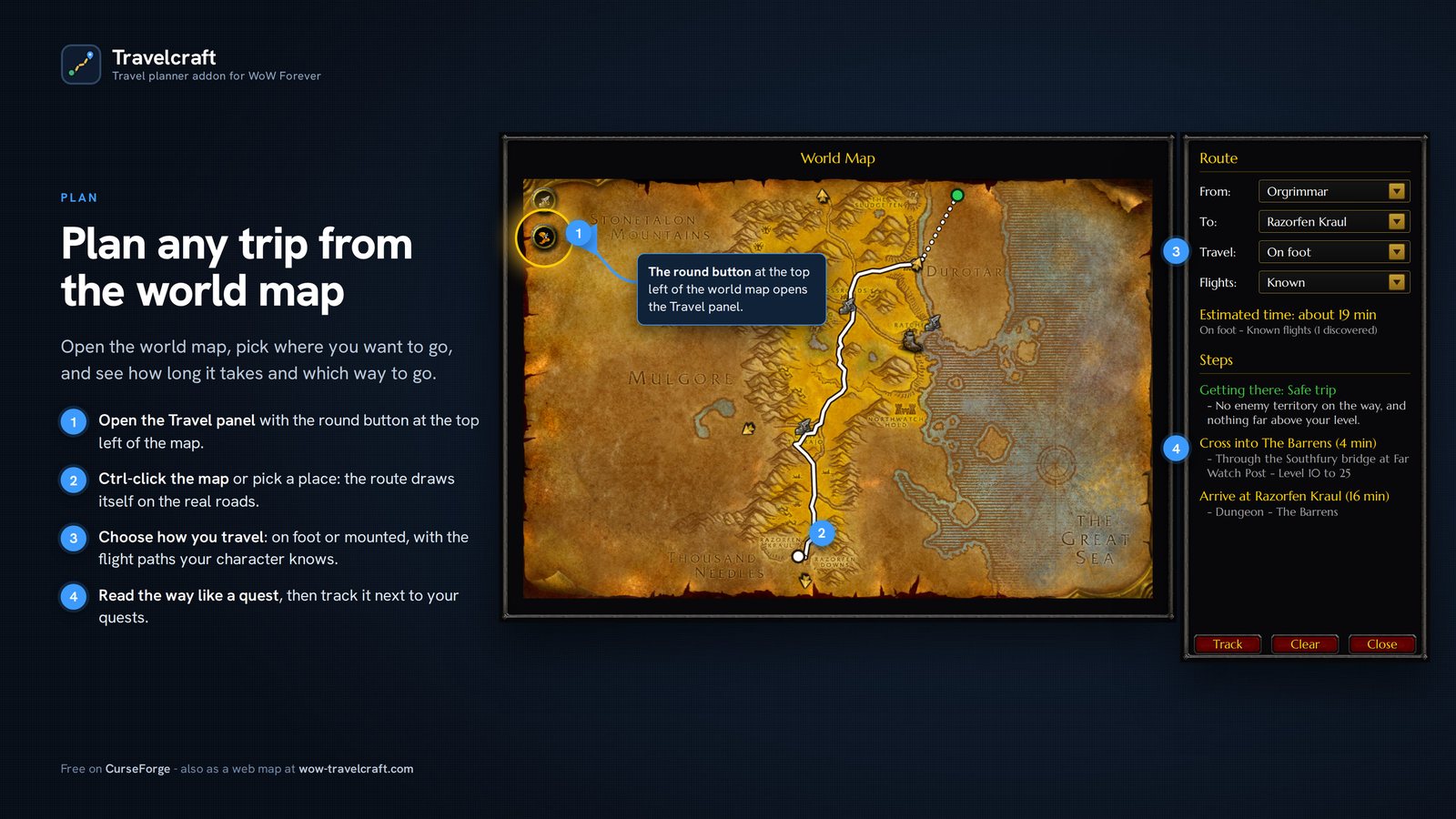
- Routes on the real roads from the Travel panel on the world map, with the time each step takes.
- Tracked like a quest next to your objectives, with a flight timer for every flight.
- Your quests Ctrl+click a quest on the map to get the route there.
- Every way to travel on the map flight masters, harbours, zeppelins, sky docks, the tram and the ways out of each zone. Show only the ones you want.
- Your shortcuts hearthstone, mage and druid teleports, engineering gadgets: used when they save time.
- Dungeons and raids the ones for your level, their entrances on the map, and a map of each one with its bosses, floor by floor.
- Share your route with your party, raid, guild or a friend, who opens it in one click.
- Your map, your way unexplored areas, zone levels always or on mouseover, the fishing skill of each zone.
What's new in the addon
- Ctrl+click a quest on the map, on its icon or its area: the route there opens in the Travel panel, under the quest's name.
- The entrance and the ways between floors on the dungeon maps, with the game's portal icon and arrows: click one to see that floor.
- Maps of the new Forever dungeons, which the game does not have: Hall of Thanes, Ruins of Lordaeron, Excavation Site: Wetlands and the City of Dalaran, with their bosses, drawn by Santiago Reyes.
- Bosses on every dungeon map, numbered in the usual order of the run and coloured for your level. Hover one for its level and the quests that send you there.
Maps of the new Forever dungeons by Santiago Reyes (Atlas de Azeroth: Forever), used with his permission. Thank you, Santiago!

SameSame
Save your main's profile once. The first time you log in with a new character, one click sets it up the same way, and you are ready to play.
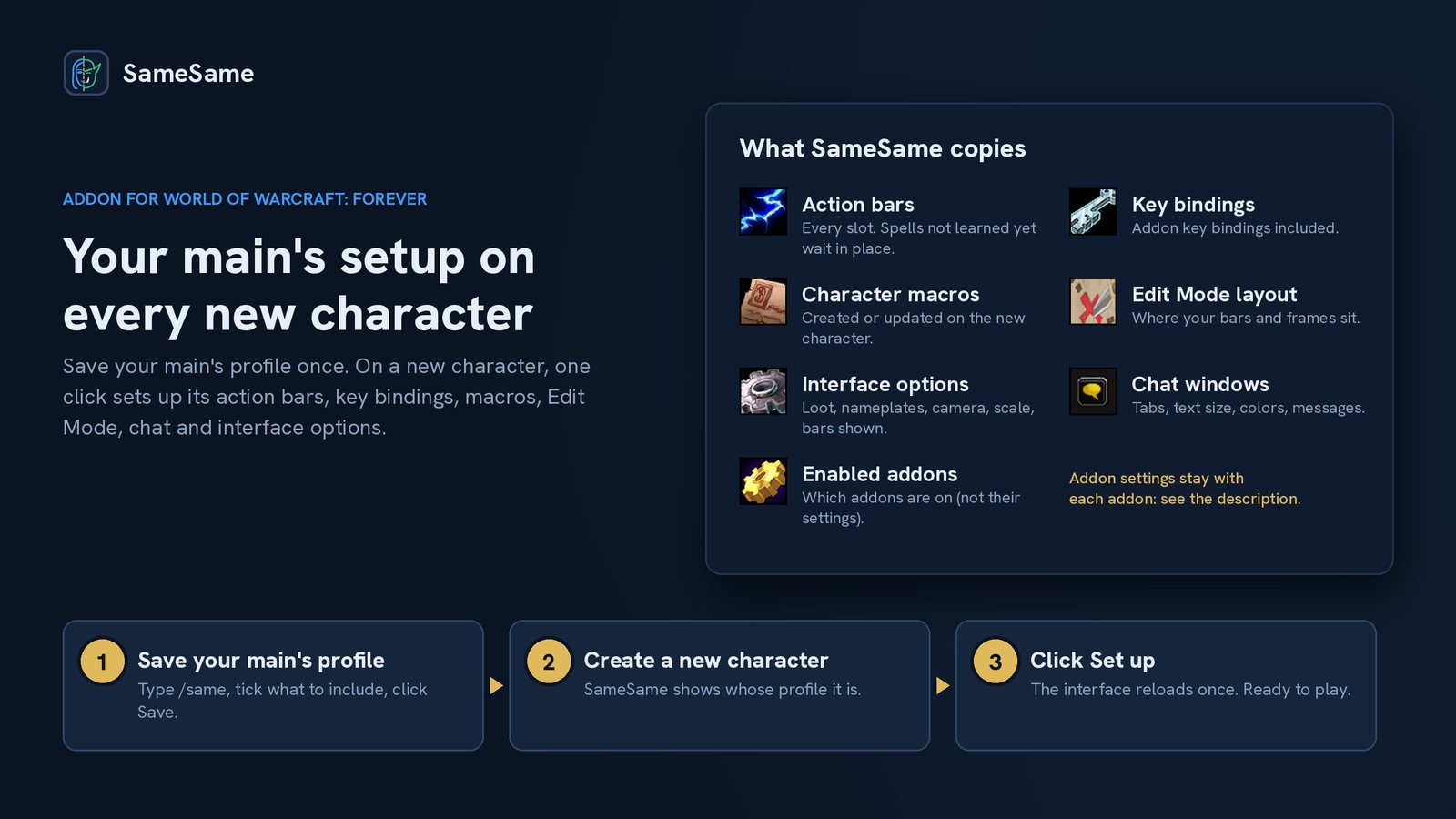
- Action bars every slot. Spells not learned yet keep their place and appear when you learn them.
- Key bindings and macros addon key bindings included.
- Edit Mode layout where your bars, frames and windows sit.
- Chat windows and interface options tabs, colours, loot, nameplates, camera, scale.
- Enabled addons the same addons are turned on.
What it can't copy: the settings of your other addons. Each addon keeps them in its own way, so SameSame turns the same addons on, but they keep their own settings.

Shadowflare
For warlocks: when a proc makes your next spell instant or faster, Shadowflare shows it at once, and hides it as soon as you cast the spell. Shadow Trance (Affliction) and Decimation (Demonology), each with its own alert.
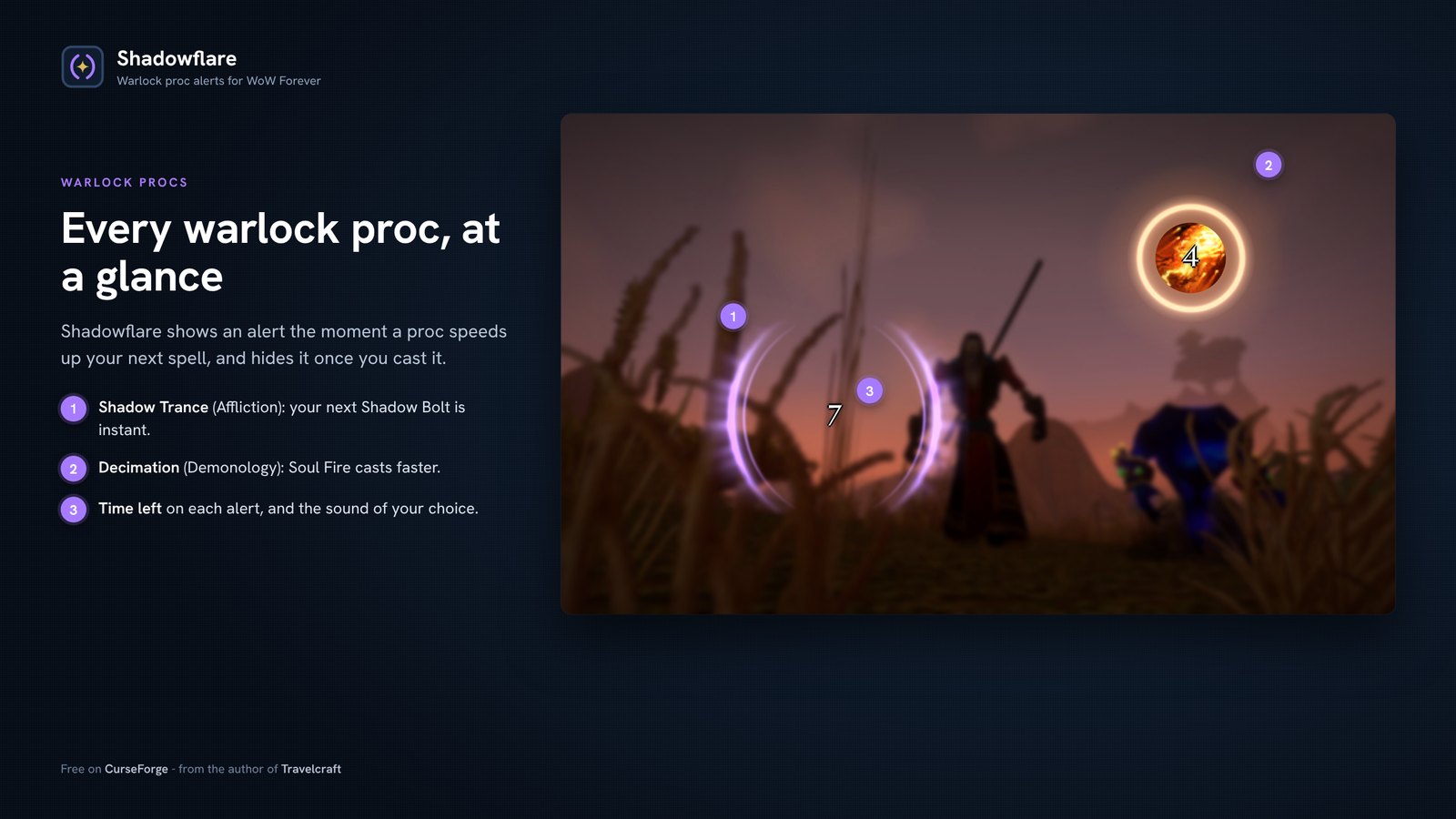
- Two warlock procs Shadow Trance makes Shadow Bolt instant, Decimation speeds up Soul Fire.
- One alert per proc with its own style, colour, size, sound and place on screen.
- 20+ looks ten modern styles, plus the game's own proc art such as Nightfall and Backlash.
- Works in combat follows the spell each proc speeds up, even when the game hides your buffs.
- Placed in a second on a grid like the game's Edit Mode, snapped to the centre.